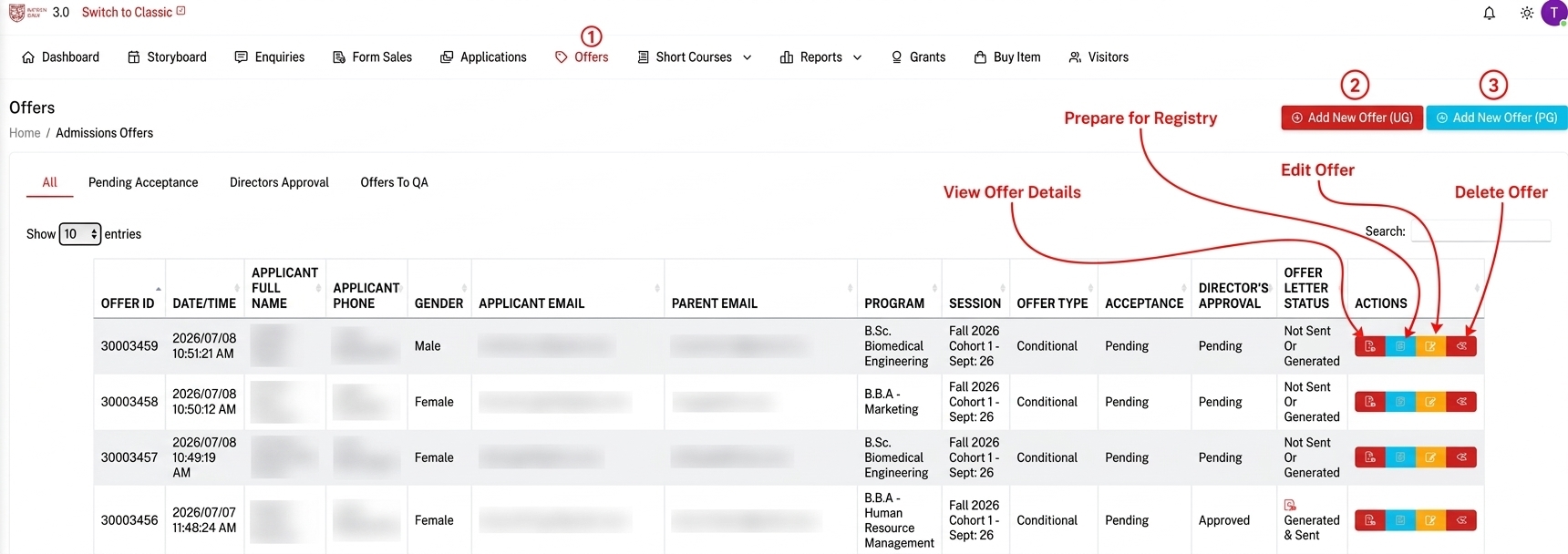
Step 1: From the dashboard click the Offers button in the Navigation bar.
Step 2 : Click the Add New Offer {UG/PG} button to add offer for UG/PG.
Add New Offers(UG/PG)
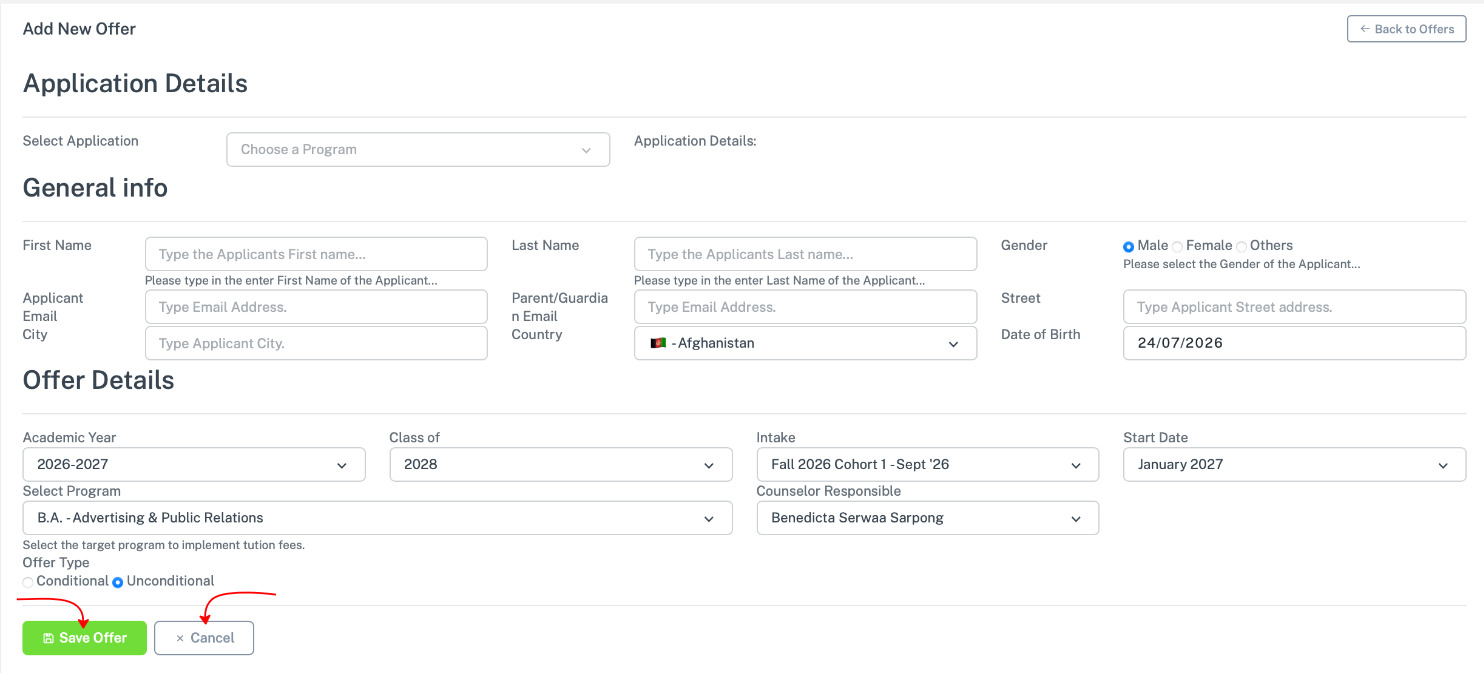
This is what you see when you click the add new offer(UG/PG). Fill in the required informations. Click save offer to save it.
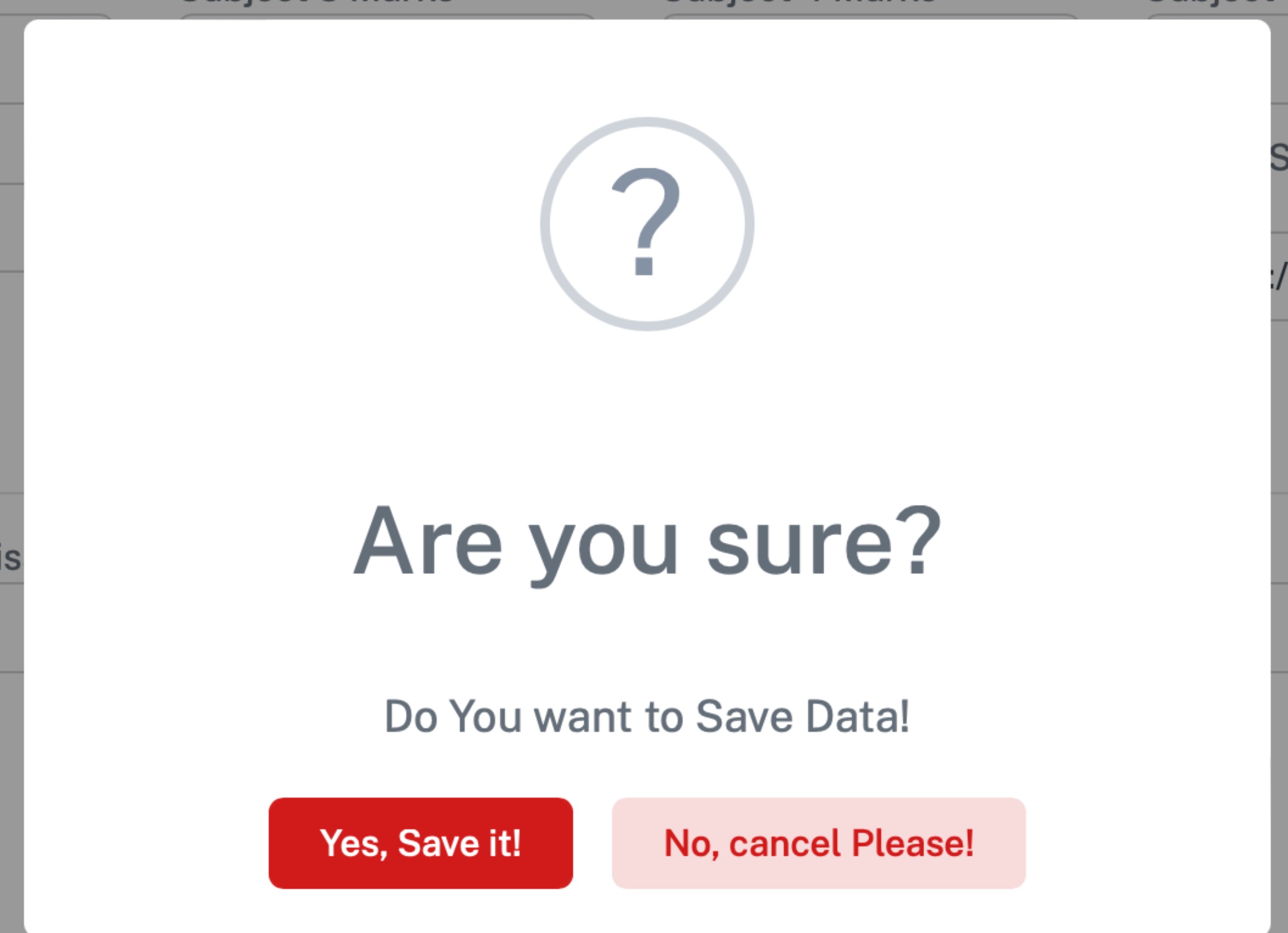
A confirmation alert appear for you to confirm