The Offers section is where Registry manage all admission offers sent to prospective students. This module allows you to track the entire lifecycle of an offer—from the initial application and payment to the final acceptance and document generation.
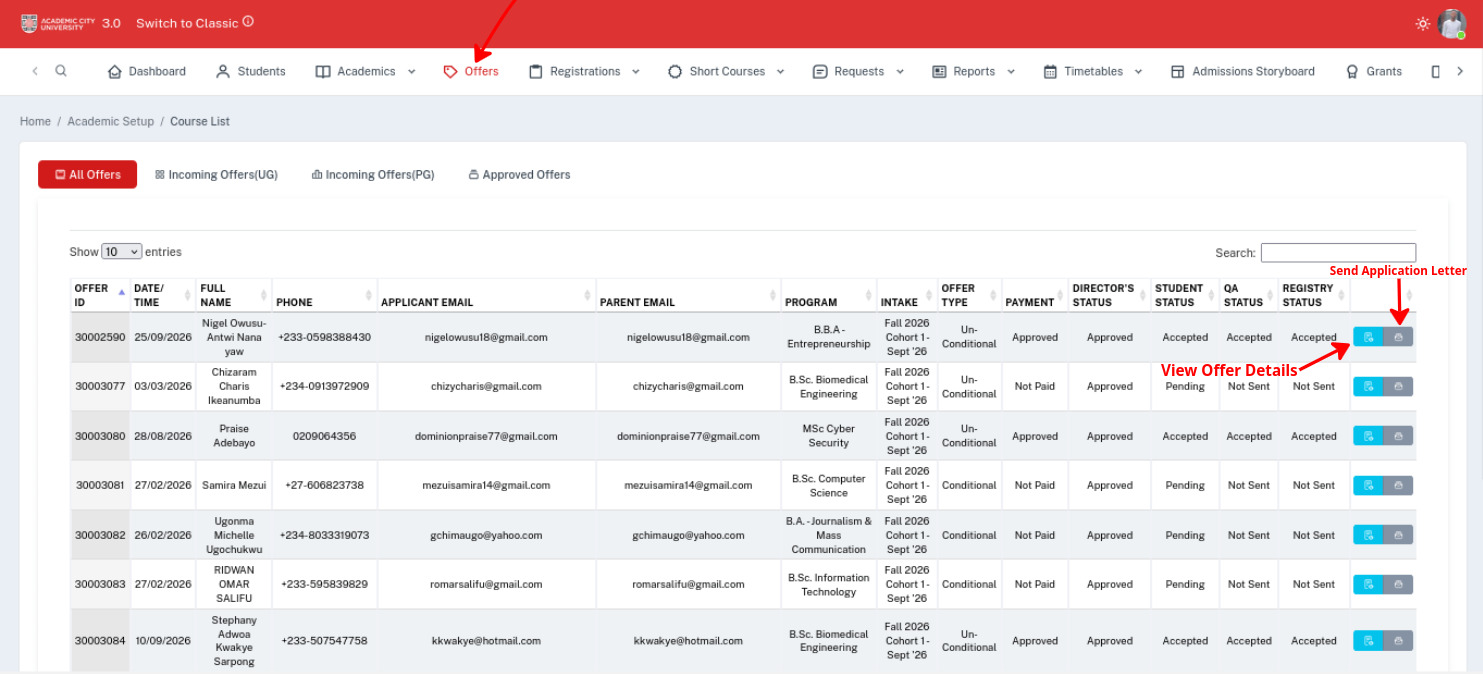
When you click on Offers in the top menu, you will land on the "All Offers" list. This page gives you a master view of every offer in the system.
At the top left, you can filter the list to see specific groups of applicants:
All Offers: Shows every single offer regardless of status.
Incoming Offers (UG): Undergraduate applications.
Incoming Offers (PG): Postgraduate applications.
Approved Offers: Only shows offers that have passed the required approval stages.
The table gives you a quick snapshot of each applicant. Here is what the key columns mean:
OFFER ID / DATE/TIME: The unique tracking number for the offer and when it was generated.
FULL NAME / PHONE / APPLICANT EMAIL / PARENT EMAIL: The applicant's contact information.
PROGRAM: The specific course the student applied for (e.g., B.B.A - Entrepreneurship).
INTAKE: The semester and academic year they are applying to join.
OFFER TYPE: Shows if the offer is Un-Conditional (they meet all requirements) or Conditional (they have pending requirements like final results).
PAYMENT: Shows the financial status. (e.g., "Approved" means their payment has cleared; "Not Paid" means they haven't paid the required fee yet).
DIRECTOR'S STATUS / STUDENT STATUS: Tracks whether the applicant has accepted the offer and if the director has signed off.
QA STATUS / REGISTRY STATUS: Tracks the verification steps. "Not Sent" means it hasn't been reviewed or pushed to those departments yet; "Accepted" means it is cleared.
On the far right of every row, there are two action buttons:
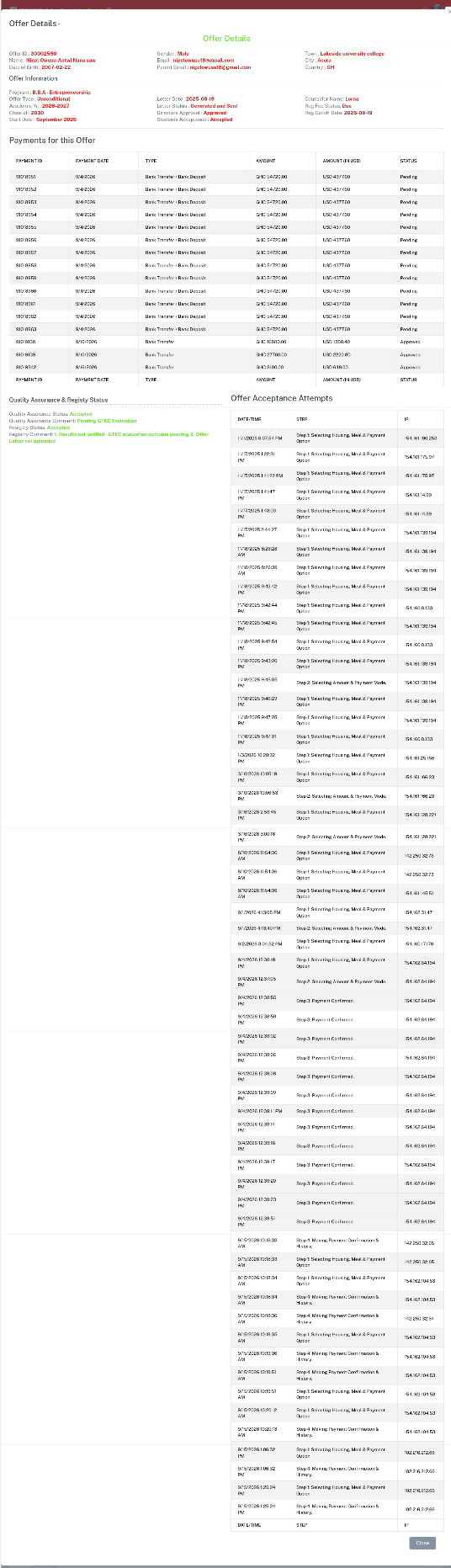
1. view details
2. Send acceptance letter