
The Lecturer Dashboard is focused on the day-to-day tasks of a specific teacher. It only shows data relevant to the courses they are teaching.
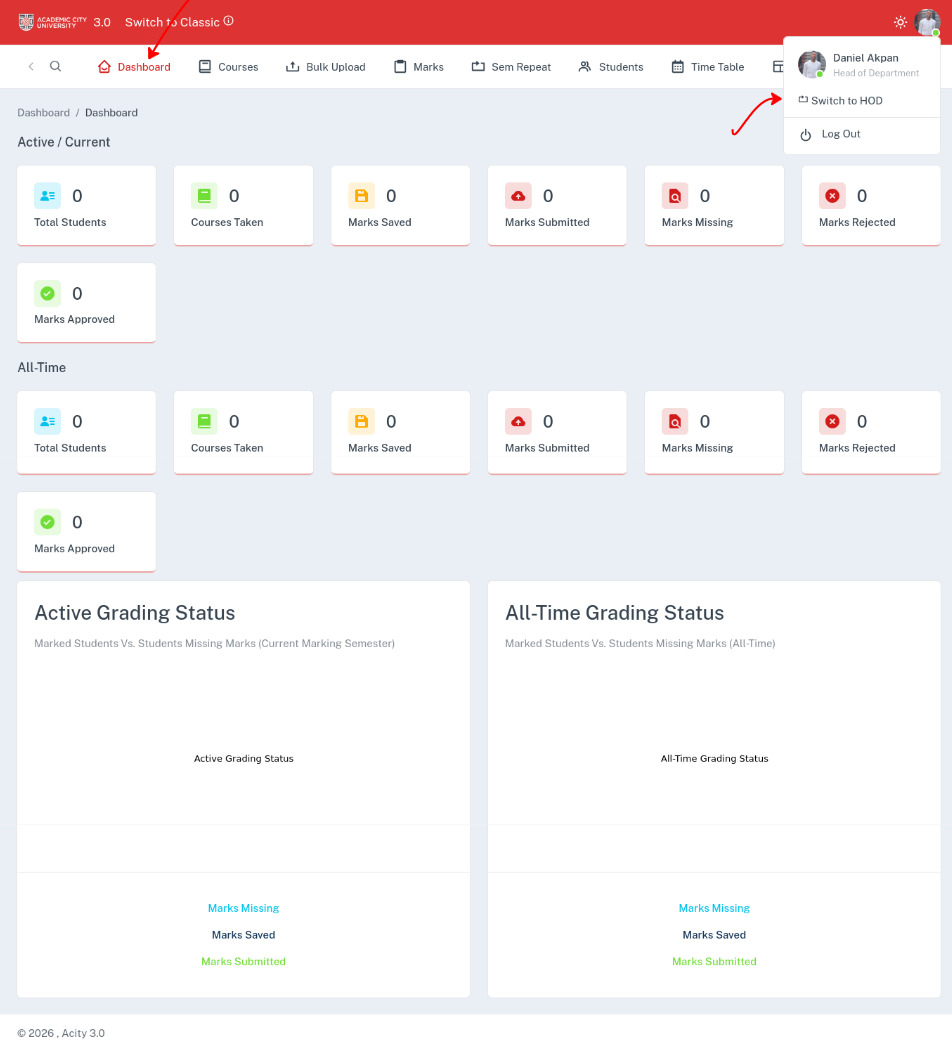
The Lecturer menu is task-oriented. This is where they do the actual work of grading and managing their classes.
Cards
Again, split into Active/Current and All-Time:
Total Students (0): The number of students enrolled in this specific lecturer's classes.
Courses Taken (0): The number of courses this lecturer is teaching.
Marks Saved (0): Grades the lecturer has entered into the system but has not yet submitted to the HOD for approval.
Marks Submitted / Approved / Missing / Rejected: This tracks the grading status for only this lecturer's classes. If a mark is rejected by the HOD, the lecturer will see it here and must correct it.
Charts
Active & All-Time Grading Status: These charts show the ratio of students who have been graded versus those who are missing marks in the lecturer's specific classes.