
The HOD Dashboard is designed to give the department head a bird's-eye view of how the department is performing, specifically focusing on staff and grading progress.
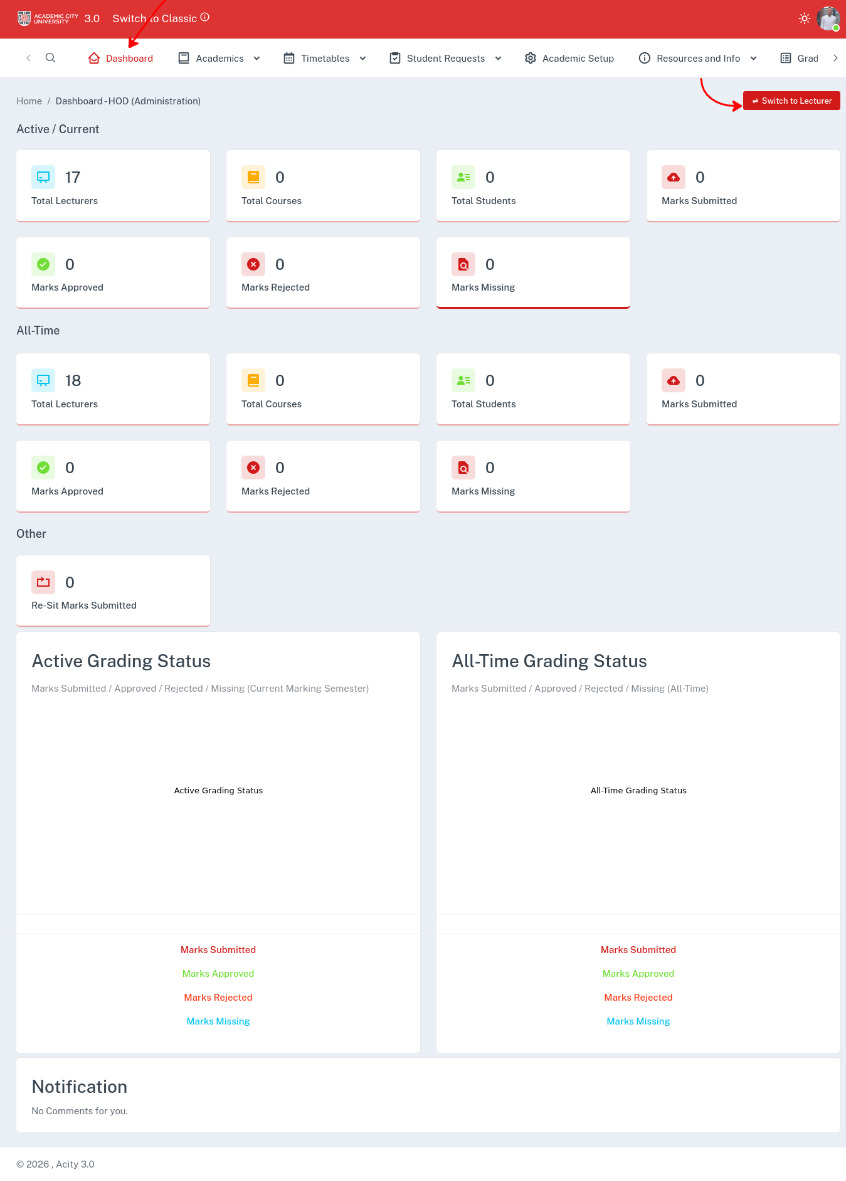
The HOD menu focuses on broader department management
CARDS
The dashboard is split into Active/Current (this semester) and All-Time (historical data).
Total Lecturers (17): The number of lecturers in the department.
Total Courses (0): The number of courses assigned to the department this semester.
Total Students (0): The total number of students taking department courses.
Marks Submitted / Approved / Rejected / Missing: These are the most critical cards for an HOD. They show the status of grading across the entire department. The HOD uses this to track down lecturers who are late in submitting their grades.
Re-Sit Marks Submitted: Tracks grades specifically for students retaking failed courses.
Charts
Active & All-Time Grading Status: These charts visually show the breakdown of Marks Submitted, Approved, Rejected, and Missing across the whole department, helping the HOD quickly see if there are bottlenecks.